

Our Explainer Video Production Process, Step by Step
Most explainer videos that go wrong don’t go wrong in animation. They go wrong earlier: a script nobody fully signed off, a storyboard skimmed on a phone, a voice picked in a hurry. By the time it shows up on screen, fixing it is slow and expensive.
That’s why we run every project through the same six stages, with a sign-off at each one. This guide walks through the whole explainer video production process as we run it at Animation Explainers: what happens at each stage, what you review, what you get, how long it takes and how to keep it on schedule.
The explainer video production process at a glance
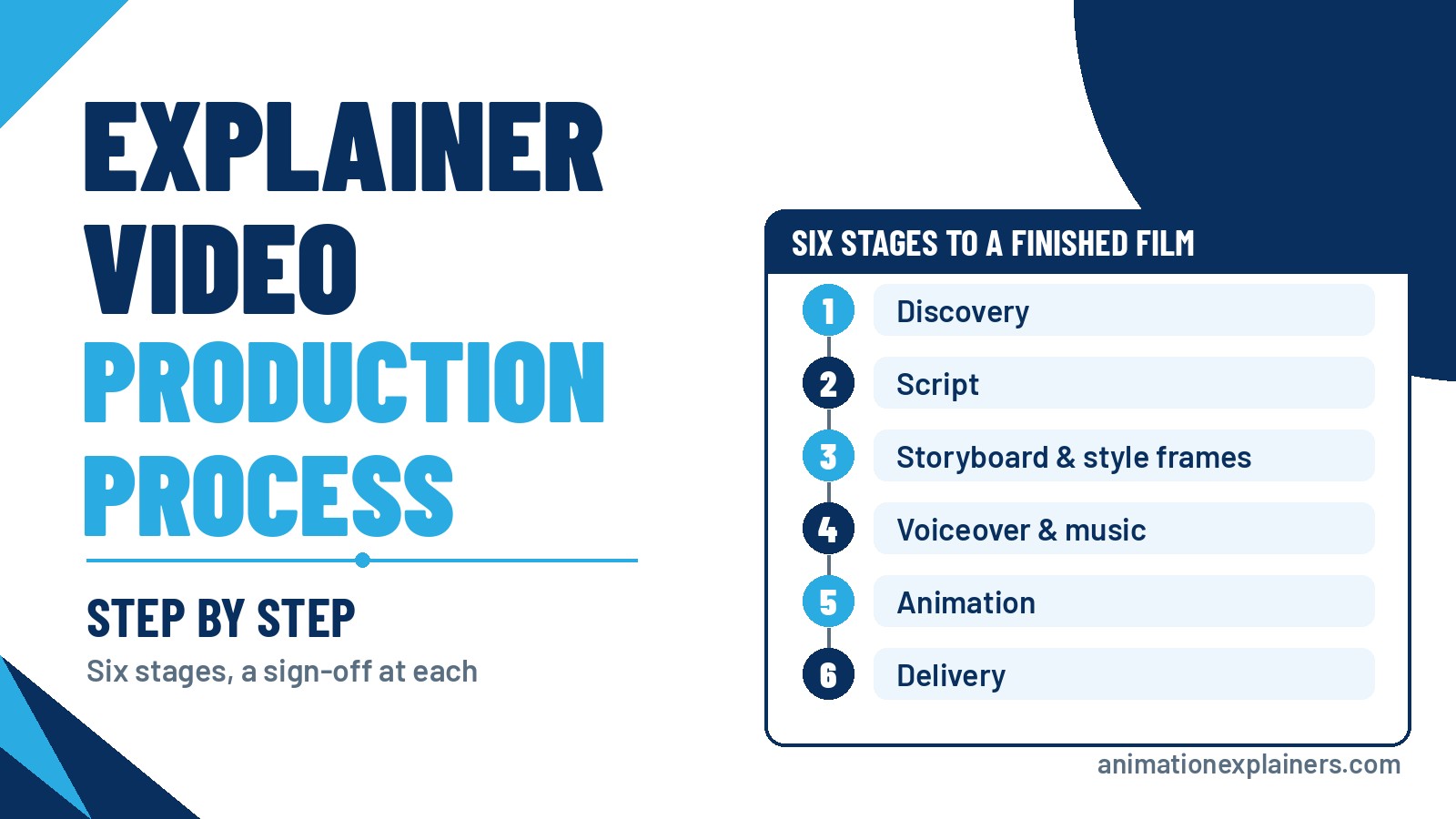
Our explainer video production process has six stages: discovery, script, storyboard and style frames, voiceover and music, animation, and delivery. You sign off each stage before the next one starts, three revision rounds are included, and a typical 60 to 90 second explainer takes about 4 to 6 weeks.
| Stage | What happens | What you sign off | What you get |
| 1. Discovery | A 60-minute kick-off meeting on goals, audience and message | The creative brief | A short written brief |
| 2. Script | We write the voiceover and on-screen text | Every word of the script (revision round 1) | A locked script |
| 3. Storyboard and style frames | A frame-by-frame plan plus finished-look frames | The board and the visual style (revision round 2) | An approved storyboard and style frames |
| 4. Voiceover and music | We cast and record the voice, then choose music | The voice and the read | A recorded voiceover and a music track |
| 5. Animation | We animate to the board and the voice, then share a full draft cut | The draft cut (revision round 3) | An approved final cut |
| 6. Delivery | We export every agreed version | Nothing more: the film is yours | The final master, cutdowns and a captions file |
Here’s a short look at how a project runs with us.
Stage 1: Discovery and the creative brief
Every project starts with a 60-minute kick-off meeting. We want the person who can make decisions in the room, because this is where the video’s job gets defined.
We’ll ask about:
- The goal. What should a viewer do after watching: book a demo, start a trial, understand a new process?
- The audience. Who’s watching, what they already know and what’s stopping them from buying.
- The message. The one idea the film has to land, plus the proof points and any claims you must (or mustn’t) make.
- Where it plays. Homepage, sales emails, paid social, a trade-show screen. This decides length, formats and whether it needs to work with the sound off.
- The deadline. Any launch date or event the film has to be ready for.
We send back a short creative brief. It’s the yardstick for every decision that follows, so it’s worth reading closely before you approve it.
Stage 2: Script
The script is the foundation of the whole film. We write the voiceover and the on-screen text around a simple structure: the problem, your solution, the proof and the next step. One idea, plain language, nothing the viewer has to decode.
You approve every word. This is the first of your three revision rounds, and it’s the cheapest place to change your mind: rewriting a sentence now takes minutes, while changing it after animation can mean re-recording and re-animating a scene.
Length is set here too. The number of voiceover words decides how long the film runs, so we write to the runtime agreed in discovery. For the detail, see our guides on how to write a video script and how long an explainer video should be.
Stage 3: Storyboard and style frames
Once the script is locked, we turn it into a storyboard: a frame-by-frame plan showing what’s on screen for each line of voiceover. Alongside it we design two or three style frames, finished-look stills that show exactly how the film will look before any animation starts.
This is your second revision round, and the last point where structural changes are cheap. Check that each frame supports its line, that the order makes sense, and that the style feels like your brand. What our storyboards look like, and how to review one, is in our explainer video storyboard guide.
Stage 4: Voiceover, music and sound
With the board approved, we cast the voice. You choose from professional voice artists in the accent or language your audience expects, and we record against the locked script. We record before final animation so the animators can time every movement to the words.
We then choose licensed music and plan the sound effects, so the mix supports the voice instead of fighting it. How we cast, and how to brief a voice artist yourself, is in our guide to explainer video voiceover.
Stage 5: Animation
Now the approved board, style frames and voice come together. Our team animates the film in the agreed style, adds the sound design and shares a full draft cut with you.
This is your third revision round. Because the words, the visuals and the voice were all signed off earlier, feedback here is usually about timing, emphasis and polish rather than the story itself. That’s the point of the earlier stages: animation is the most time-consuming part of production, so we don’t want to start it until everything it depends on is settled.
Here’s a finished 2D film from a long-running series we make for an insurance brand.
Stage 6: Delivery
We export the final master film and every version agreed at kickoff: cutdowns, aspect ratios for different channels, language versions and a captions file. Files are named and ready to upload.
You fully own the rights to the finished film, so you can use it on your website, in ads, at events and anywhere else you need it.
How long does the explainer video process take?
A typical 60 to 90 second explainer takes about 4 to 6 weeks from the kick-off meeting to final files. We confirm the dates at kickoff.
What usually makes a project take longer:
| Factor | Why it adds time |
| Slow or scattered feedback | Each stage waits on your sign-off, so the review turnaround is the biggest variable |
| Extra review layers | Legal, clinical or engineering sign-off adds time at every stage |
| Longer runtime | More script, more frames and more animation |
| 3D | Models, materials, lighting and rendering come before and during animation |
| More languages | Each language needs its own voiceover and translated on-screen text |
| A series | More films, although a shared design system makes each one after the first quicker |
Need it sooner? Tell us your deadline on the first call. Faster turnarounds are often possible, especially when the brief is clear and one person can sign off quickly.
Who does what: your team and ours
| Stage | What we do | What we need from you |
| Discovery | Run the kick-off meeting and write the brief | A 60-minute meeting with the decision-maker |
| Script | Write and revise | Consolidated feedback from one reviewer |
| Storyboard | Draw the board and design style frames | Your brand guide, product screens or CAD files, and sign-off |
| Voiceover | Cast, direct and record | A voice choice and the pronunciation of names and terms |
| Animation | Animate, add sound design and share the draft cut | One round of consolidated notes |
| Delivery | Export and hand over every version | Every channel and format you need, told to us up front |
Revisions and sign-offs: how feedback works
Three revision rounds are included, one at each creative stage: script, storyboard and animation. Each round goes further when the feedback is clear. A few rules make a big difference:
- Name one reviewer. One person gathers everyone’s comments and sends a single, consolidated set of notes.
- Bring the stakeholders in early. If legal, product or a senior leader needs to approve the film, they should see the script, not just the final cut.
- Say what's wrong, not only what to change. “This line sounds too salesy for doctors” helps more than “rewrite this”.
- Review at full size. Watch storyboards and drafts on a proper screen, with sound, the way your audience will.
- Sign off for real. Approving a stage means it’s locked. Reopening an approved script or storyboard later costs time.
2D and 3D pipelines: what changes
The six stages stay the same whatever the style. What happens inside the animation stage is different.
- 2D animation, including character animation, motion graphics and whiteboard, builds the film from flat illustrated assets designed from the style frames. It’s usually the quicker pipeline.
- 3D animation adds steps before and during animation: building or adapting 3D models (often from your CAD files), creating materials and lighting, animating cameras and objects, and rendering every frame. It takes longer and suits products that need to be shown inside and out.
Many projects mix the two, such as a 2D story with a few 3D product shots. If you’re weighing that up, see our 3D animation production page.
How to keep your explainer video on schedule
- Send everything before discovery. Brand guide, decks, product screens and any existing sales scripts all speed up the brief.
- Decide the formats up front. Cutdowns, aspect ratios and languages are easier to plan in than to add at the end.
- Book review time in your calendar. Each stage waits on your sign-off, so plan for it like a meeting.
- Keep the same reviewer throughout. A new voice at the animation stage often reopens decisions made earlier.
- Flag hard deadlines on day one. We can plan the schedule around a launch or an event if we know about it.
What does the process cost?
Every stage above is included in a studio project, from the kick-off meeting to the final files. Studio projects at Animation Explainers typically sit in the $6,000 to $35,000 and beyond band. Length, style, complexity, the number of versions and review layers move the quote more than anything else. For the full breakdown, read how much an explainer video costs.
Start your explainer video
If you’d like to see the full menu of what we make, our explainer video production page covers styles, deliverables and examples, and the explainer video guide covers types, length and cost. Prefer to do it yourself? Our guide on how to make an animated explainer video walks through the DIY route.
When you’re ready, browse our portfolio or contact us and book a meeting from that page.
FAQ
What are the stages of explainer video production?
There are six: discovery, script, storyboard and style frames, voiceover and music, animation, and delivery. At Animation Explainers you sign off each stage before the next one starts, so nothing expensive happens before you’ve agreed to it.
How long does it take to make an explainer video?
A typical 60 to 90 second explainer takes about 4 to 6 weeks from the kick-off meeting to final files. 3D, extra languages, series and extra review layers take longer, and fast, consolidated feedback keeps it on track. If you have a hard deadline, tell us on the first call: faster turnarounds are often possible.
How many revision rounds are included?
Three, one at each stage: script, storyboard and animation. Consolidated feedback from one reviewer at each round gets the most out of them.
What do I need to provide before production starts?
Your goals, audience and key message, a brand guide, any product screens, CAD files or photos, and one person who can give consolidated feedback at each stage. Existing decks or sales scripts help too, because they speed up discovery.
When is the voiceover recorded?
After the script and storyboard are approved and before final animation. Recording first lets the animators time every movement to the words, and it means the voice is recorded against a locked script.
Can I change the script after the storyboard is approved?
You can, but it costs time. A changed line can mean a redrawn frame, a new voiceover recording and re-timed animation. That’s why the script is locked first and every word is approved before anything is drawn.
Is the 3D animation pipeline different from 2D?
The six stages are the same. Inside the animation stage, 3D adds modelling, materials, lighting and rendering, often starting from your CAD files, so it usually takes longer than 2D. Many projects mix 2D storytelling with a few 3D product shots.
Who owns the finished explainer video?
You do. Clients fully own the rights to the finished film and can use it on their website, in ads, at events and anywhere else they need.
What are the stages of explainer video production?
There are six: discovery, script, storyboard and style frames, voiceover and music, animation, and delivery. At Animation Explainers you sign off each stage before the next one starts, so nothing expensive happens before you’ve agreed to it.
How long does it take to make an explainer video?
A typical 60 to 90 second explainer takes about 4 to 6 weeks from the kick-off meeting to final files. 3D, extra languages, series and extra review layers take longer, and fast, consolidated feedback keeps it on track. If you have a hard deadline, tell us on the first call: faster turnarounds are often possible.
How many revision rounds are included?
Three, one at each stage: script, storyboard and animation. Consolidated feedback from one reviewer at each round gets the most out of them.
What do I need to provide before production starts?
Your goals, audience and key message, a brand guide, any product screens, CAD files or photos, and one person who can give consolidated feedback at each stage. Existing decks or sales scripts help too, because they speed up discovery.
When is the voiceover recorded?
After the script and storyboard are approved and before final animation. Recording first lets the animators time every movement to the words, and it means the voice is recorded against a locked script.
Can I change the script after the storyboard is approved?
You can, but it costs time. A changed line can mean a redrawn frame, a new voiceover recording and re-timed animation. That’s why the script is locked first and every word is approved before anything is drawn.
Is the 3D animation pipeline different from 2D?
The six stages are the same. Inside the animation stage, 3D adds modelling, materials, lighting and rendering, often starting from your CAD files, so it usually takes longer than 2D. Many projects mix 2D storytelling with a few 3D product shots.
Who owns the finished explainer video?
You do. Clients fully own the rights to the finished film and can use it on their website, in ads, at events and anywhere else they need.